

Know Who’s On Your Website
98% of visitors never fill out a form. Lead ID tells you who they are in real time and sends the lead straight to your inbox — or into GeauxIQ if you’re using our platform. No guessing. Just leads you can act on.
Turn Anonymous Visitors Into Real Leads
Most website visitors never fill out a form — but that doesn’t mean you should miss out on them. Lead ID shows you exactly who is on your site in real time, giving you the insight you need to follow up.
Once we identify a lead, you get it instantly. We’ll email it straight to you, or, if you’re using our GeauxIQ platform, we’ll pass it directly into your workflows for immediate follow-up.
If you don’t use GeauxIQ, no problem — you’ll still receive leads by email or through your Lead ID dashboard.
With Lead ID, you’ll never wonder who’s on your site — you’ll know, and you’ll be ready to act.
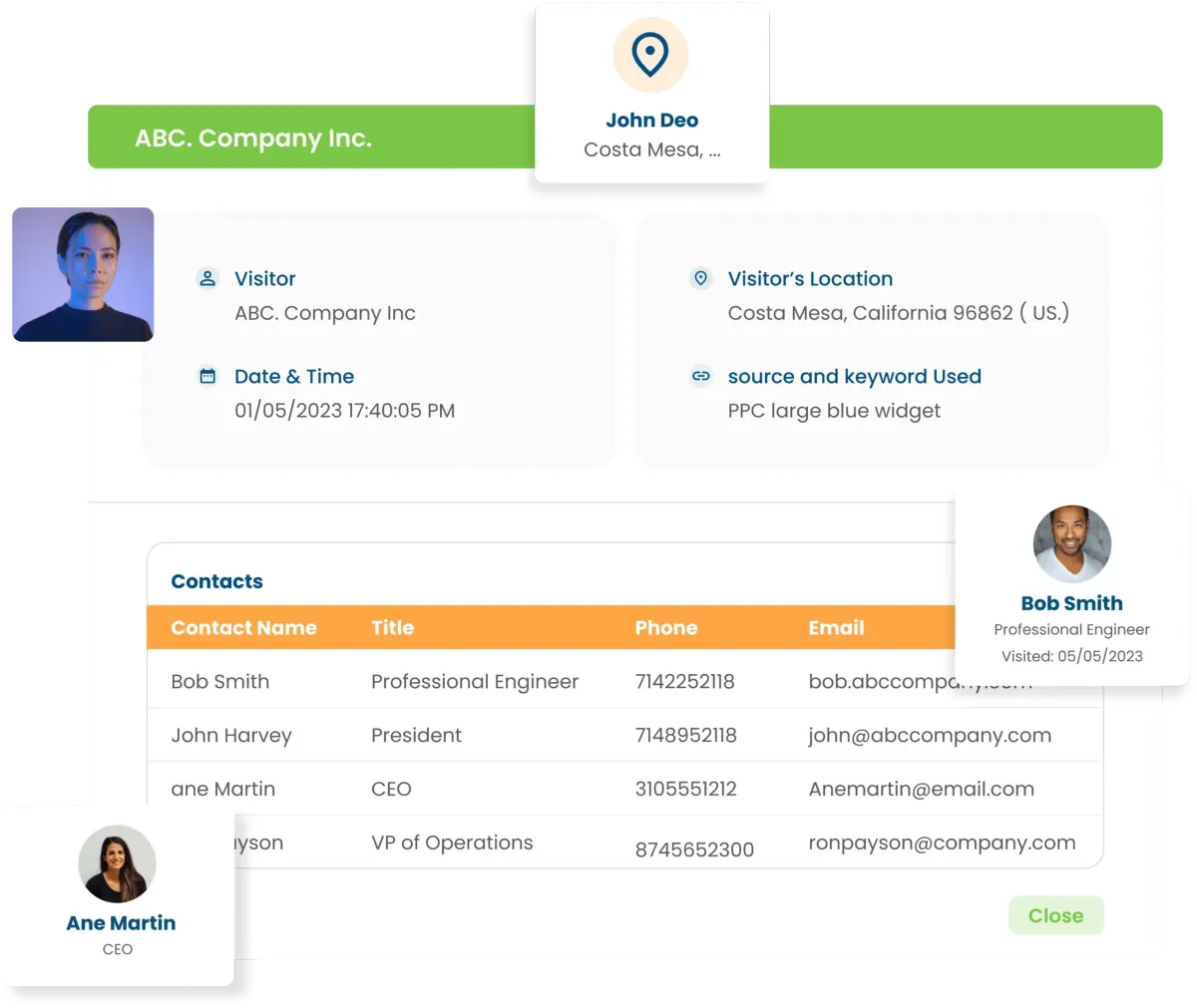
Turn Website Traffic Into Actionable Leads and Sales.
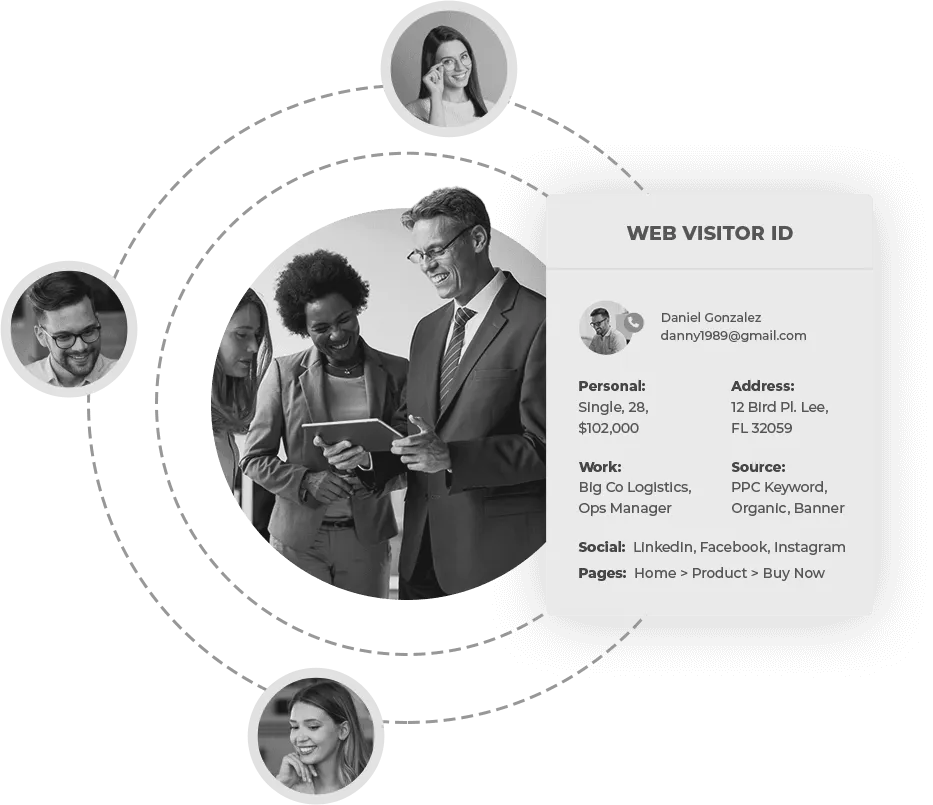
Maximize your website’s potential by turning anonymous visitors into revenue. Our platform tracks customer behavior—identifying who they are, what pages they visit, and how long they stay—then seamlessly integrates with your email marketing system, CRM, direct mail, and custom audience platforms. With this data, you can trigger automated emails, targeted direct mail, and personalized ad campaigns based on real buying behavior, keeping your brand top-of-mind until the moment of purchase. No more relying solely on generic Google Analytics reports—now you can see exactly who is engaging with your site and take action. By harnessing the power of first-party data, we help you convert more visitors into loyal customers, bringing clarity, confidence, and results to your digital marketing efforts.
Effortless Email List Growth—No Extra Effort Required
The Old Way: Growing your email list used to be time-consuming and costly. You had to drive traffic, optimize offers, and refine your Call-to-Action—only to capture a small fraction of your visitors.
The New Way: With LeadID, you can automatically identify and capture ~35% of your website visitors—along with their name, email, and browsing activity. This data is seamlessly added to your email list, enabling you to engage and convert more leads without any manual work.

Read Our Latest Updates

GeauxIQ Updates Week of December 12
GeauxIQ New Feature Releases — Week of December 12
We’ve been busy 😄
This week delivered a strong set of updates inside GeauxIQ, and these releases aren’t just cosmetic—they directly impact conversion rates, automation, reporting, and team efficiency.
Below is a quick, practical rundown of what’s new, why it matters, and how to put it to work.
📝 Forms, Surveys & Quizzes (Major Upgrades)
If you use forms (and you should), these are real wins:
✅ New: Margin Controls
You can now control top margins in Forms, Surveys, and the Quiz Builder—meaning you can finally eliminate awkward spacing without custom CSS hacks.
Why it matters: cleaner designs = more trust = higher conversion.
✅ New: Rich Text Editor for Text + Terms & Conditions
You can now format text inside forms with a much better editor:
Rich formatting (bold, bullets, links, etc.)
Merge fields / custom values
Better Terms & Conditions (T&C) control
Ability to add multiple T&C checkboxes
Why it matters: clearer messaging and smoother compliance.
✅ New: Better Post-Submission Message Control
If you use a “success message” instead of redirecting to a new page, you now have far more control over how it looks—including styling options like background blur for a polished “glass” effect.
Why it matters: your form confirmation finally matches your brand experience.
📊 Social Planner Enhancements
✅ New: Analytics for Threads & BlueSky
Threads and BlueSky analytics are now supported, giving you more complete visibility inside Social Planner.
Why it matters: better data = better content decisions.
✅ New: Multiple Watermarks (Per Channel)
You can now set different watermarks per platform (example: a wide watermark for YouTube and a square version for Instagram/Reels).
Why it matters: your brand stays consistent across formats without extra editing work.
✅ New: UI/UX Improvements for Posts + Reels
Social Planner got a series of usability upgrades—especially around selecting the right media type during post creation.
Why it matters: fewer upload errors and a faster posting workflow.
📞 Voice AI Updates (This Week’s Headliners)
Voice AI continues to level up fast.
✅ New: Multi-Calendar Appointment Booking
Voice AI can now book appointments across multiple calendars and uses the conversation context to determine the right one.
Example:
“I’d like a demo” → routes to your demo calendar
“Can I talk pricing?” → routes to your sales calendar
There’s also improved fallback handling if the AI isn’t sure.
Why it matters: fewer missed opportunities and smarter routing—automatically.
✅ New: System Prompt Access (Advanced Users)
Power users can now access the system prompt for Voice AI to customize behavior at a deeper level (with a reset-to-default safety option).
Why it matters: more control for teams that want advanced tuning.
✅ New: Folders for Voice AI Agents
You can now organize Voice AI agents into folders and move them between folders.
Why it matters: cleaner management as your AI library grows.
🔄 Workflow Enhancements (Automation Gets Easier)
✅ New: Inbound DND Support (Workflows)
You can now automatically apply DND (Do Not Disturb) based on inbound messages and logic—perfect for filtering spam or unwanted message types.
Why it matters: less noise, more signal, and a cleaner inbox.
✅ Improved: Copy Actions UI
Workflow copy/paste actions now have better visual cues and a cleaner user experience.
Why it matters: faster building and fewer mistakes.
✅ Improved: First-Time Workflow Experience
New users now get onboarding content, examples (“recipes”), and workflow AI guidance more prominently.
Why it matters: easier adoption and faster time-to-value.
✅ New: Faster Workflow Switcher
A fast sidebar switcher lets you jump between workflows quickly, with improved speed and options (open, clone, etc.).
Why it matters: huge productivity boost for teams managing many automations.
💳 Wallet, SaaS Mode & Payments Improvements
✅ New: Historical Wallet Usage + Invoices
You can now download wallet receipts/invoices by month going back to January 2024, including tax details.
Why it matters: easier accounting and reporting.
✅ New: In-App Upgrade for SaaS V2 Subscriptions
Subscription upgrades/downgrades for SaaS V2 can now be handled in-app as functionality catches up to V1.
Why it matters: smoother client management and billing operations.
✅ New: SaaS Analytics Dashboard (Agency View)
A dedicated SaaS analytics dashboard now exists in the agency view with key metrics and graphs.
Why it matters: better visibility into recurring revenue performance.
✅ New: CSV Export for Payments
You can now export CSVs for:
Transactions
Orders
Subscriptions
Why it matters: faster reconciliation and backups.
👥 Communities & Platform Enhancements
✅ New: Optional Profile Photo Requirement
Communities can now toggle off mandatory profile photo prompts—helpful for privacy-oriented groups.
Why it matters: better privacy control and member comfort.
✅ More Improvements (Quick Hits)
Option to issue usage credits after trial ends (prevents “free trial credit abuse”)
Platform language support improvements
System email fallback templates if a custom template breaks
Why it matters: fewer edge-case failures and better platform stability.
🧪 Labs: Reputation Management — Manual Reviews
Manual review input has arrived in Labs, letting you add legitimate offline reviews (handwritten notes, letters, etc.) into your review system.
Why it matters: many businesses receive praise that never makes it into digital review platforms—now you can capture it.
👀 Coming Soon (Sneak Peek)
A few items highlighted as “coming soon” include:
Improvements to contacts UX (including tag + opportunity organization)
Duplicate pipelines
Continued speed and interface refinements across core areas
🚀 Want to Put These Updates to Work in Your Business?
These features are powerful on their own—but the real ROI comes from setting them up to match your sales, follow-up, marketing, and client journey.
If you want, our team will walk you through the updates and help identify quick wins you can activate immediately.
👉 Call-to-Action: Book a Meeting to Learn More
Written by Brandon Foreman
Geaux Grow | Family Resource Group Inc.
Powered by GeauxIQ


